
Introduction to CMS Platforms
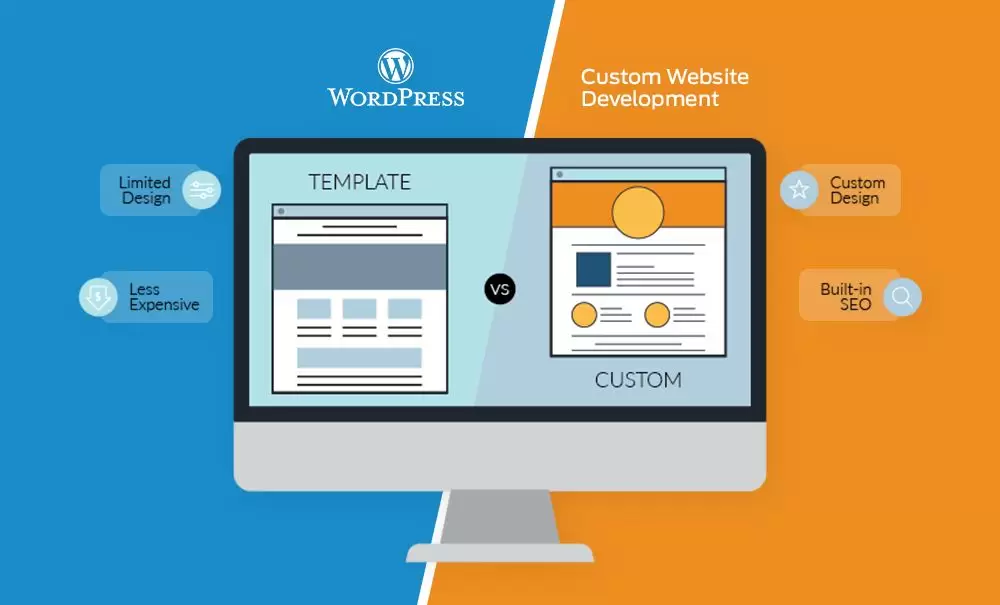
A CMS is software that allows users to create, manage, and organize digital content without requiring in-depth technical knowledge. These systems are widely used for websites, blogs, e-commerce sites, and more. Let's explore the features and benefits of WordPress, Drupal, and Joomla.
WordPress
Key Features
- Ease of Use: WordPress is renowned for its user-friendliness, making it ideal for beginners.
- Plugin Ecosystem: It boasts a vast library of plugins and themes to extend functionality and customize design.
- Large Community: A massive community provides support, documentation, and troubleshooting resources.
- Versatility: Suitable for blogs, small to medium-sized websites, e-commerce, and more.
Use Cases
- Blogs
- Small business websites
- Content-based websites
Pros
- User-friendly
- Extensive plugin library
- Large user community
- Excellent for SEO
Cons
- Can be less scalable for very large websites
- Vulnerable to security risks without proper maintenance
Drupal
Key Features
- Customization: Drupal is known for its flexibility and scalability, allowing developers to create highly customized websites.
- Content Types: Offers robust content management features, making it suitable for complex websites with varying content types.
- Security: Drupal places a strong emphasis on security, which is crucial for enterprise-level websites.
- Developer-Centric: Developers may prefer Drupal for its flexibility and control.
Use Cases
- Enterprise websites
- Complex web applications
- E-learning platforms
Pros
- High degree of customization
- Excellent for complex and large websites
- Strong security features
- Great for managing structured content
Cons
- Steeper learning curve
- Fewer readily available themes and plugins
- More developer-dependent
Joomla
Key Features
- Ease of Use: Joomla offers a balance between the user-friendliness of WordPress and the complexity of Drupal.
- Content Management: It provides a robust content management system with a middle-ground approach.
- Multilingual Support: Joomla excels at creating multilingual websites.
- Community: A supportive community and extensions library.
Use Cases
- Small to medium-sized business websites
- E-commerce
- Community websites
Pros
- Intermediate difficulty level
- Multilingual support
- Strong community
- Suitable for e-commerce
Cons
- Not as beginner-friendly as WordPress
- Limited options compared to WordPress's plugins
- Less suitable for very complex or large websites
How to Choose the Right CMS
The choice of CMS largely depends on your specific needs and goals. Consider the following factors:
- Ease of Use: If you're a beginner or have limited technical expertise, WordPress is a great choice.
- Scalability: If you anticipate a high level of customization or require a system that can grow with your website, Drupal might be the right choice.
- Content Type: If you're managing a complex content structure, Drupal is a strong candidate.
- Security: If you're building a high-security website, Drupal's focus on security is beneficial.
- Multilingual Support: For multilingual websites, Joomla offers excellent support.
- Community and Support: Consider the strength of the community and the availability of themes and plugins for your specific needs.
- Budget and Resources: Assess your budget and available resources for development and maintenance.
Conclusion
Choosing the right CMS for your website is a significant decision that impacts your site's functionality, scalability, and maintenance. WordPress, Drupal, and Joomla each offer a unique set of features and cater to different needs. By considering your project's requirements, technical expertise, and long-term goals, you can make an informed decision and select the CMS that best aligns with your vision for your website.
Need a professional website or digital marketing?
Talk to the IMEXIT team - free consultation, no commitment.
WhatsApp